
Schema Output Demo
See what structured data looks like on a WordPress site
PINXS Schema Pro works mostly inside the WordPress admin area, where schema settings and output rules are configured. This public demo page explains what schema is, shows example JSON-LD style output, and links to the read-only admin demo where you can view the plugin workflow.
Demo login: demo / demopassword
What is schema markup?
Schema markup is structured data added to a website so search engines can better understand the page content. It does not usually appear as visible page content to visitors, but it can help describe products, articles, FAQs, businesses, reviews and other important page information.
Product schema
Used for WooCommerce and product pages to describe product name, price, availability, offer data and product details.
Article schema
Used for posts and articles to describe the headline, author, published date, modified date and page identity.
FAQ schema
Used to describe common questions and answers in a structured format that search engines can understand.
Business schema
Used to describe organisation or local business details such as name, website, contact information and business identity.
Example schema output
The example below is simplified to make it easy to understand. In the full plugin, PINXS Schema Pro generates structured data based on the schema type and settings configured in WordPress.
This is a display example for the public demo page. The admin demo is where you can view how schema settings and output options are managed inside WordPress.
Real Schema Pro metabox examples
These examples show where PINXS Schema Pro appears inside the WordPress editor. The public admin demo lets you view the real metaboxes on a demo post, page and WooCommerce product, while saving and editing remain disabled for the demo user.
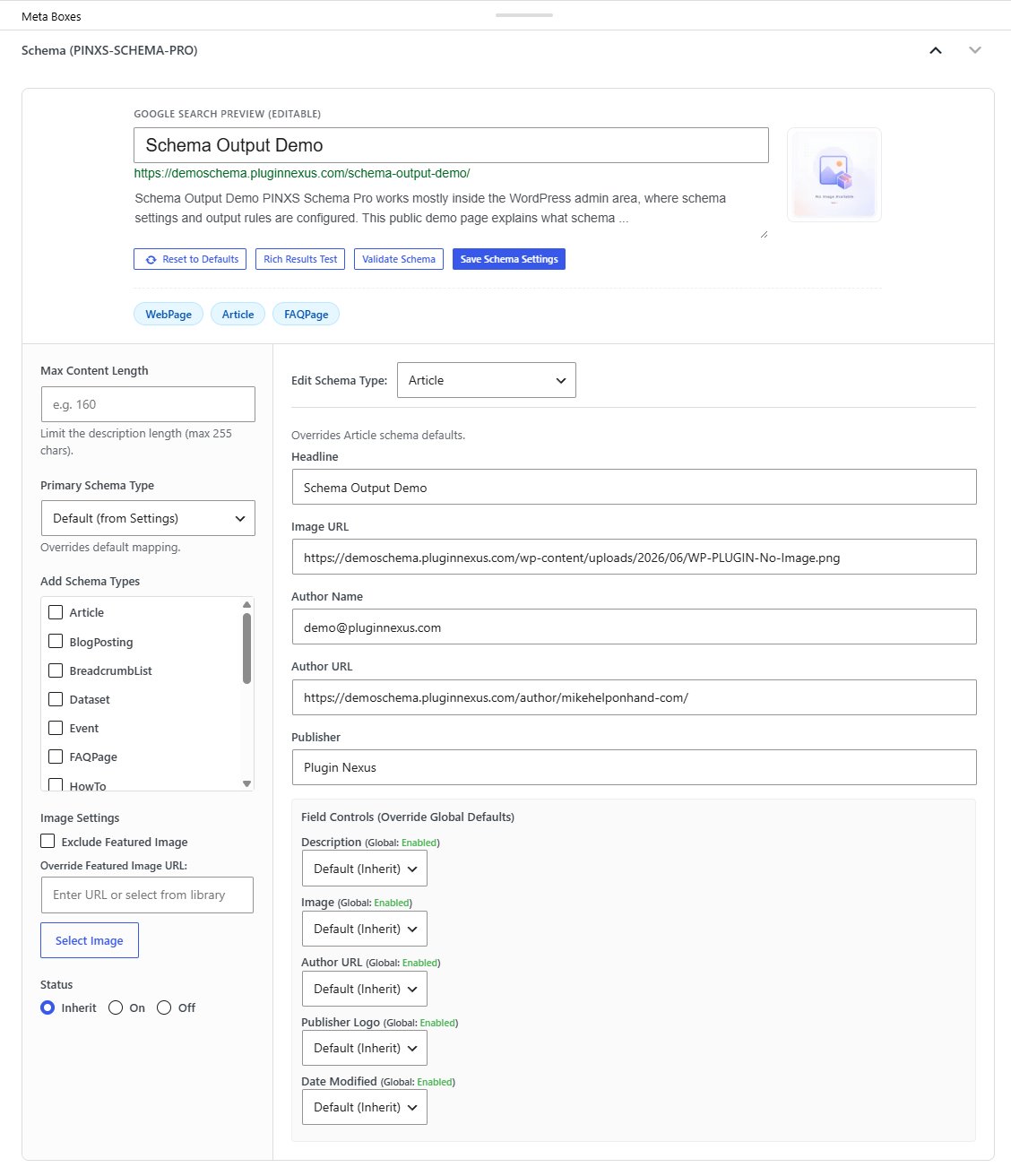
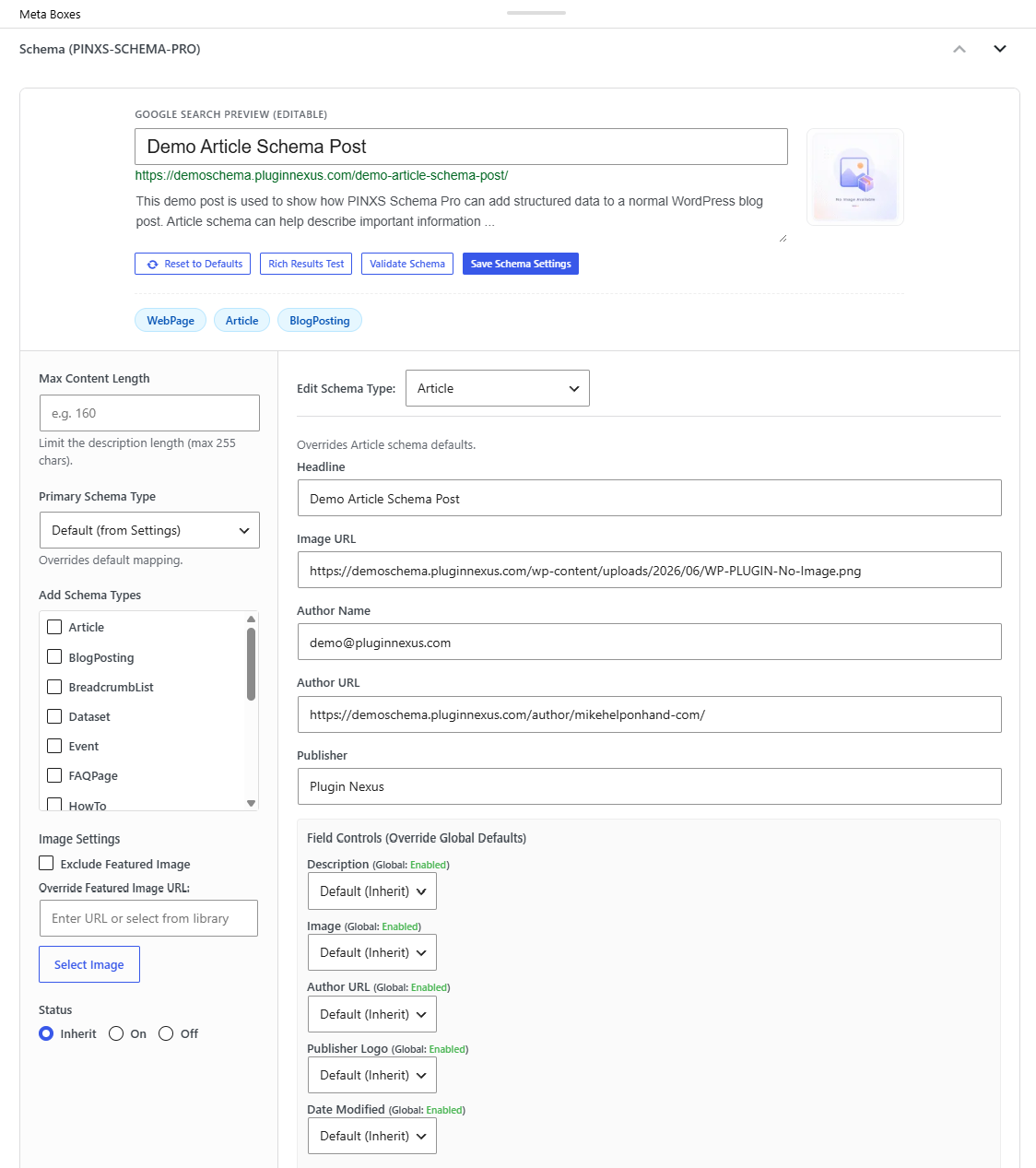
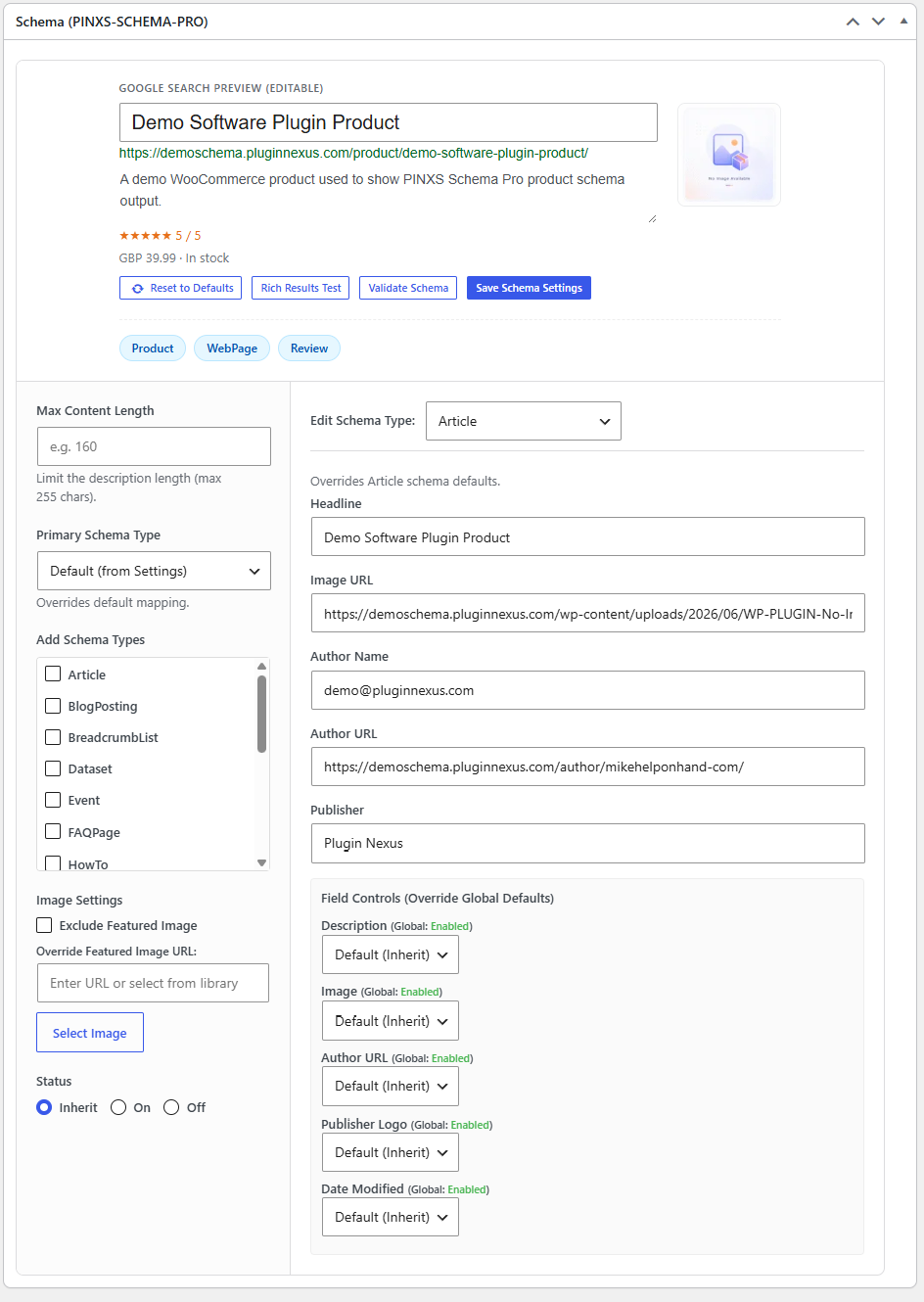
Replace these placeholder images with real screenshots after uploading them to the WordPress Media Library. Avoid including licence keys, private settings, email addresses or anything sensitive in the screenshots.
What the admin demo shows
PINXS Schema Pro is primarily an admin-side tool. The read-only admin demo is the best place to view the real settings screens, metaboxes and schema preview behaviour. This public page shows example schema output and metabox screenshots so visitors know what to expect before logging in.
Schema settings
View how schema types and global defaults are configured inside WordPress.
Example records
Open the prepared demo post, page and product to view the Schema Pro metaboxes.
Output workflow
See where schema output is controlled and how the plugin fits into a normal WordPress workflow.
Safe demo mode
The public demo account is for viewing only. Saving, deleting, importing, exporting and bulk updates are disabled.
Open the read-only admin demo
The admin demo lets you view the Schema Pro workflow inside WordPress. You can look around the settings, metaboxes and example schema areas, but public demo users cannot save, delete or modify stored data.
Demo login: demo / demopassword